

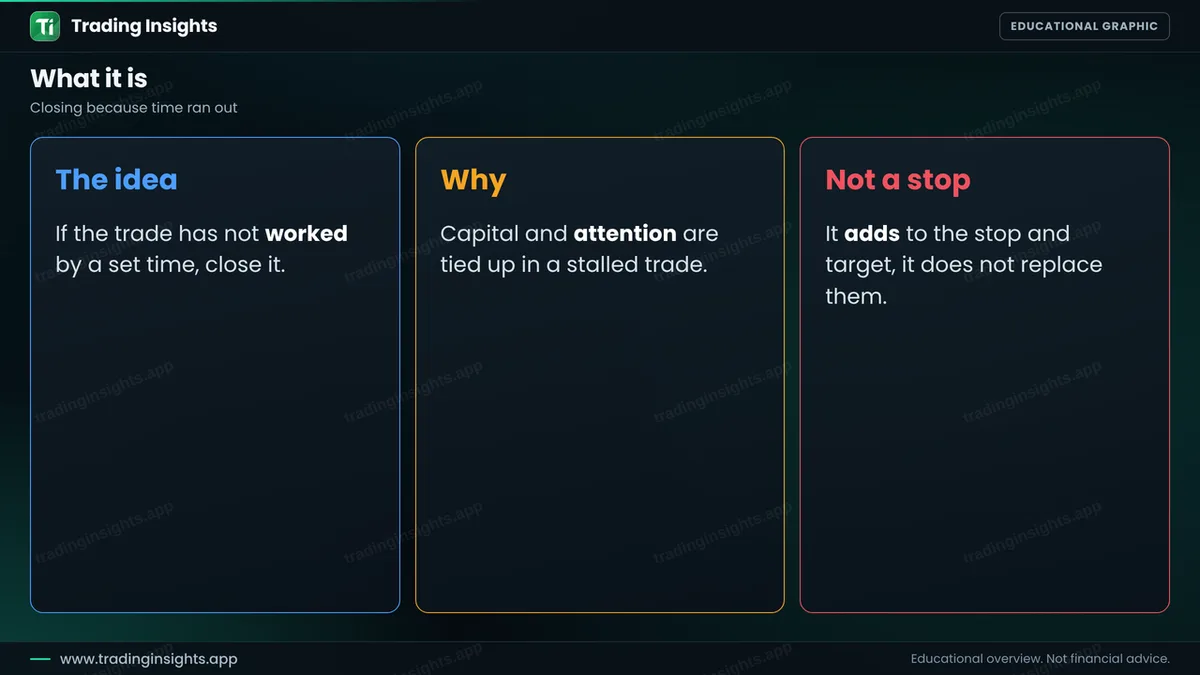
Most exits are about price: the stop, the target, a trailing level. A time-based exit adds a different question: how long am I willing to wait? A setup usually has a reason to move soon, such as a breakout or a bounce from a level. If price sits still long past that point, the reason may have faded, while your margin and attention stay locked in. The rule is simple: set a deadline in advance, and close the trade if it has not worked by then. It sits beside your stop and target, never in place of them.
What a time-based exit is
A time exit closes a trade after a set period if neither the stop nor the target has been reached. The period is part of the trade plan, written before entry. It is not a feeling that a trade "has taken too long". Capital is the first cost: margin used by a stalled trade cannot be used for a better setup. See margin in the glossary if the term is new.
Choosing a clock for your style
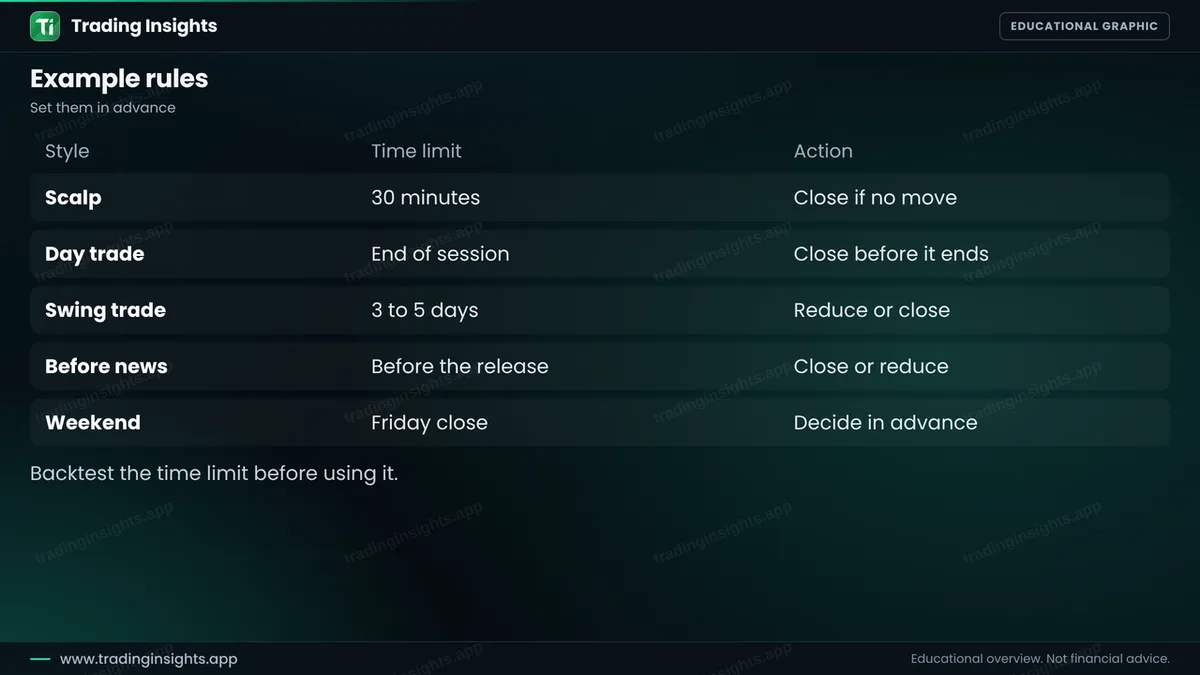
The right limit depends on how your method works. A scalp built on a quick burst may be closed after 30 minutes. A day trade may need to be flat by the end of the session. A swing trade may be given three to five days. Some traders also reduce or close before major news, or before the weekend, because gaps cannot be managed with a stop. These are examples, not rules. Test a few limits on your own method and keep the one that fits.
Why trades that go nowhere cost money
A stalled trade has hidden costs. It ties up margin that another setup could use. It holds your attention, so you may miss a better chance. Swap fees can build if you hold overnight, and a quiet trade can turn into a loss after unexpected news. A time exit also stops you holding only because you hope.
When a time exit does not fit
Some methods need patience by design. A position trade based on a weekly trend should not be closed after a few days of quiet. In that case the clock might be measured in weeks, or replaced by a scheduled review. The point is not to rush every trade, but to have a defined answer to "how long will I wait?" before you enter. If you cannot answer that, the plan is incomplete.
The working procedure
- Write the limit in your plan next to the stop and target, for example "close at the end of the session".
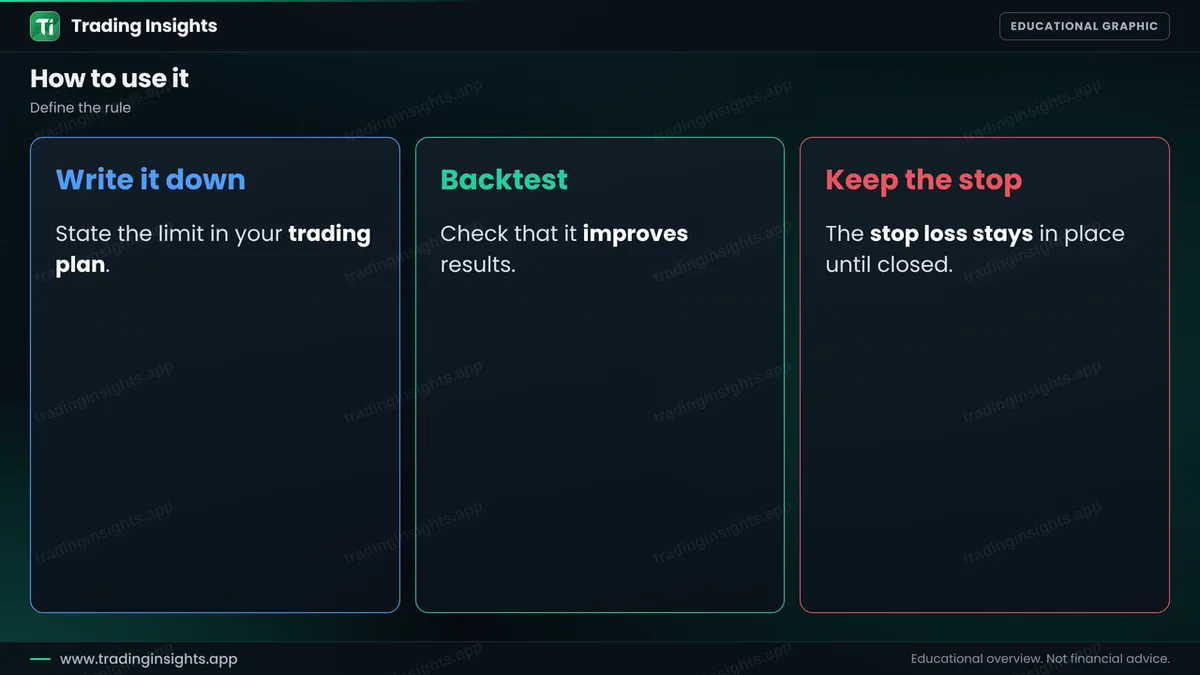
- Backtest it. Compare results with and without the time exit on the same set of trades.
- Keep the stop. The stop loss stays in place until you close, so a sudden move cannot hurt you while you wait.
- Record it in the journal, and review how often it helped.
- Do not stretch it. Moving the limit because you hope for a move defeats the purpose.
How to test a time exit
Take your last 30 trades. For each, check where the trade stood at your time limit. Then compare two results: the actual outcome, and the result if you had closed at the limit. If closing at the limit would have improved the average result, the rule helps. If it would have cut winners short, the limit may be too tight. Samples are small, so treat the answer as a clue and keep testing.
Illustrative example: the trade works within the clock
This is an illustrative example, not a real trade. A swing trader buys EUR/CHF at 0.9512 on a $5,500 account, risking 1% ($55). The stop is 22 pips lower at 0.9490 and the target 44 pips higher at 0.9556. Pip value is assumed at about $11.05 per lot, so lot size is about 0.22. The time limit is four days. On day three, price reaches the target and the trade makes about $107, or 1.94%. The time rule was never needed, which is the usual case for a good trade.
Illustrative example: the clock closes a stalled trade
Another illustrative case. A day trader sells EUR/USD at 1.0835 on the same size of account, risking 1% ($55), with a stop 30 pips higher at 1.0865 and a target 60 pips lower at 1.0775. Lot size is about 0.18. After the planned hold of six hours, price has drifted against the position by 9 pips, and the session is ending. The trader closes at the time limit with a loss of about $16, or 0.29%, instead of holding overnight with an unplanned risk. The loss is smaller than the planned $55. The target and the stop were never reached.
Common mistakes
- Closing trades too early that would have worked later. A short limit can cut winners. Test the limit against your history before you adopt it.
- Using a time limit that was never tested. A guess is not a rule. Backtest at least three options.
- Removing the stop because of the time rule. The time exit is an extra rule. The stop must stay in place the whole time.
- Applying the same limit to every strategy. A scalp and a swing trade need different clocks. Write one limit per method.
Pre-trade checklist
- The time limit is written in my plan before I enter.
- The limit fits the strategy and the timeframe.
- The stop and target are set and will remain in place.
- Lot size is calculated with the position size calculator.
- I know whether news or a weekend falls inside the planned holding time.
- I will log whether the time exit was used.
Frequently asked questions
What is a time-based exit?
It is a rule to close a trade after a set time if it has not hit the stop or the target. The time limit is decided before entry.
Does a time exit replace a stop loss?
No. It is added to the stop loss and the target, which stay in place the whole time.
How long should the limit be?
It depends on the strategy. Backtest a few limits and pick one that suits your style and the way your setups usually play out.
Can a time exit hurt results?
Yes, if it closes trades that would have worked. That is why it should be tested, not guessed.
Education only. A time limit is one rule among several and does not remove the risk of a loss, so keep the stop in place and trade only with money you can afford to lose.


